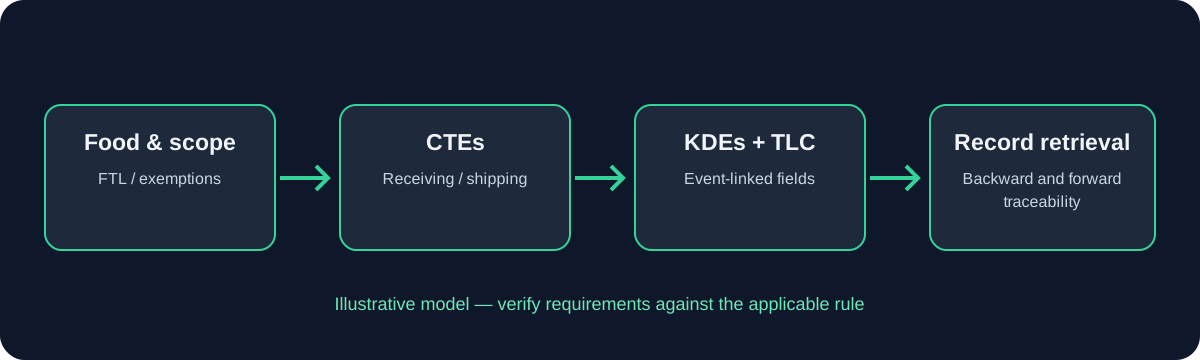
What this guide covers
A KDE map must be linked to a specific event and provision. Review existing receiving records, shipping documents, production records, lot records, invoices, and systems to locate data already captured.
Practical implementation
Create a data dictionary with field meaning, format, source, owner, validation, storage location, and exchange method. Check missing values, invalid dates, inconsistent units, duplicate records, and mismatched lot codes.
Limitations and verification
Do not publish a universal KDE list without legal verification. Distinguish fields required by the rule from additional fields requested for business coordination.
Make the source and meaning of each field explicit
A Key Data Element is information required to be maintained or provided for a specified event under the rule. The correct field set depends on the event and the applicable provision. A master spreadsheet can help teams coordinate, but it should link each field to its legal source and distinguish mandatory KDEs from internal fields that are useful for operations but are not themselves universal rule requirements.
Use validation rules that catch plausible errors
For every field, define its business meaning, accepted format, source of truth, responsible role, time of capture, validation rule and relationship to the traceability lot. A field called “location” is too vague unless users know whether it means a physical location, a business address, a field or growing area, a vessel, or the location relevant to a particular event. Labels should be unambiguous to the employee who enters and the person who later retrieves the data.
Test the export, not only the entry screen
Validation should target errors that are realistic for the workflow: missing values, impossible dates, inconsistent units, invalid identifiers, mismatched supplier names, an unknown lot code, duplicate records or a shipment that references a lot absent from the receiving data. Do not make a field mandatory merely because it exists in a sample template; first confirm whether the rule requires it for that event and whether the field can be captured at that point.
Run a traceability export and compare each column with the requirements register. Confirm that date/time and lot relationships survive export, that the file is sortable and readable, and that records can be tied to source documents. A well-designed screen can still produce a deficient export if values are truncated, hidden in attachments, joined to the wrong lot or omitted from the report.
Practical verification points
- Map every field to an event and source record.
- Validate the lot identifier and field meaning before release.
- Test a sortable export and preserve supporting context.
Data dictionary example: make each field unambiguous
A useful data dictionary gives each field a stable name, plain-language definition, allowed format, source of truth, event applicability, validation rule and example of a valid value. If two systems use different labels for the same concept, record the mapping. If one label means different things in different events, use separate definitions rather than forcing one ambiguous field to cover both.
For instance, “location” may refer to a physical address, a field/growing area, a vessel-related location or a trading partner location. “Date” may refer to the event date, document date or export date. A generic field name invites errors because users can enter a plausible value that is semantically wrong. Label the field with its meaning and include contextual help where useful.
Run a data-quality review on actual records and measure recurring defects by field and source. The purpose is not to create a vanity completeness percentage; it is to find where the process generates missing, inconsistent or unlinked information and to show that corrective action works.
KDE completeness review using representative samples
Sample records across different shifts, suppliers, facilities and transaction types. Review whether required data are present, correctly interpreted, linked to the correct lot and retrievable with supporting context. A high overall completion percentage can hide one critical field that is consistently missing for a particular supplier or event type, so report defects by field and process rather than relying on one aggregate score.
Where a data element comes from an external party, distinguish “not received,” “received but invalid,” “stored but not linked,” and “not required for this event.” These statuses need different responses. A blank value should not automatically be interpreted as a legitimate not-applicable result.
Keep the review sample and decision rules so another reviewer can reproduce the result. Use the findings to improve supplier instructions, field labels, validation logic or training, then repeat the same sample type to confirm the defect rate has changed.
Prevent field drift across systems
Field drift occurs when two teams use the same label with different meanings or when an integration changes a value during transfer. Maintain a controlled data dictionary and review it with the owners of each connected system. Where a field is renamed, preserve the mapping and test historical as well as new records.
Use sample payloads or exports in integration testing. Include realistic values with leading zeros, long identifiers, non-ASCII characters if used, multiple locations and corrections. Compare the source and destination values exactly; visual similarity in the user interface is not enough.
When a field is not captured at the event, document how the business obtains the required information and how timeliness and accuracy are checked. Do not allow a later manual enrichment step to obscure the original source or the fact that the data were unavailable at the event.
Example: a KDE arrives late from a partner
When required information arrives after the physical transaction, document the gap, the affected lot and the person responsible for follow-up. The process should distinguish a record that is awaiting data from one that has been checked and is complete. If the information cannot be reconciled, escalate it instead of filling the field with a guessed value.
When the data arrive, validate the identifier, source and event relationship before linking it to the record. Preserve the original submission and the correction history. The system should make it possible to explain when the information was received and how the final record was verified.
Use recurring late-data findings to improve supplier agreements, receiving instructions or system validation. Do not treat a repeated missing field as a one-off training problem without checking the underlying process.
How to verify this information
Official and supporting sources
Verify important regulatory claims against primary sources. Draft guidance is non-binding.
Educational information only. The regulation and current official guidance control. This page is not legal advice, FDA approval, or a guarantee of compliance.